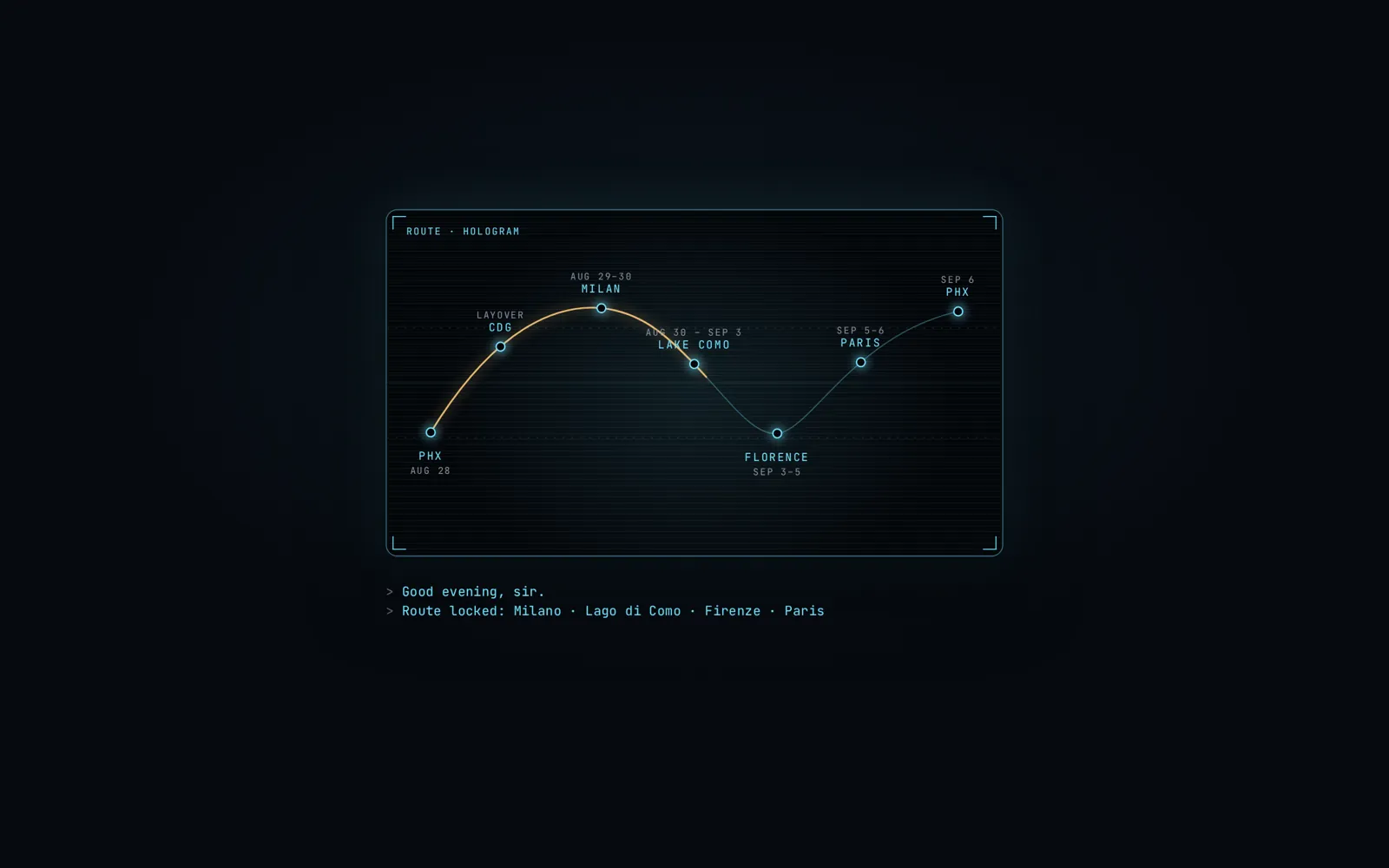
// cheat code 09 · the jarvis itinerary · paste your trip, get the page · checked aug 29, 2026
Paste your trip. Get the page.
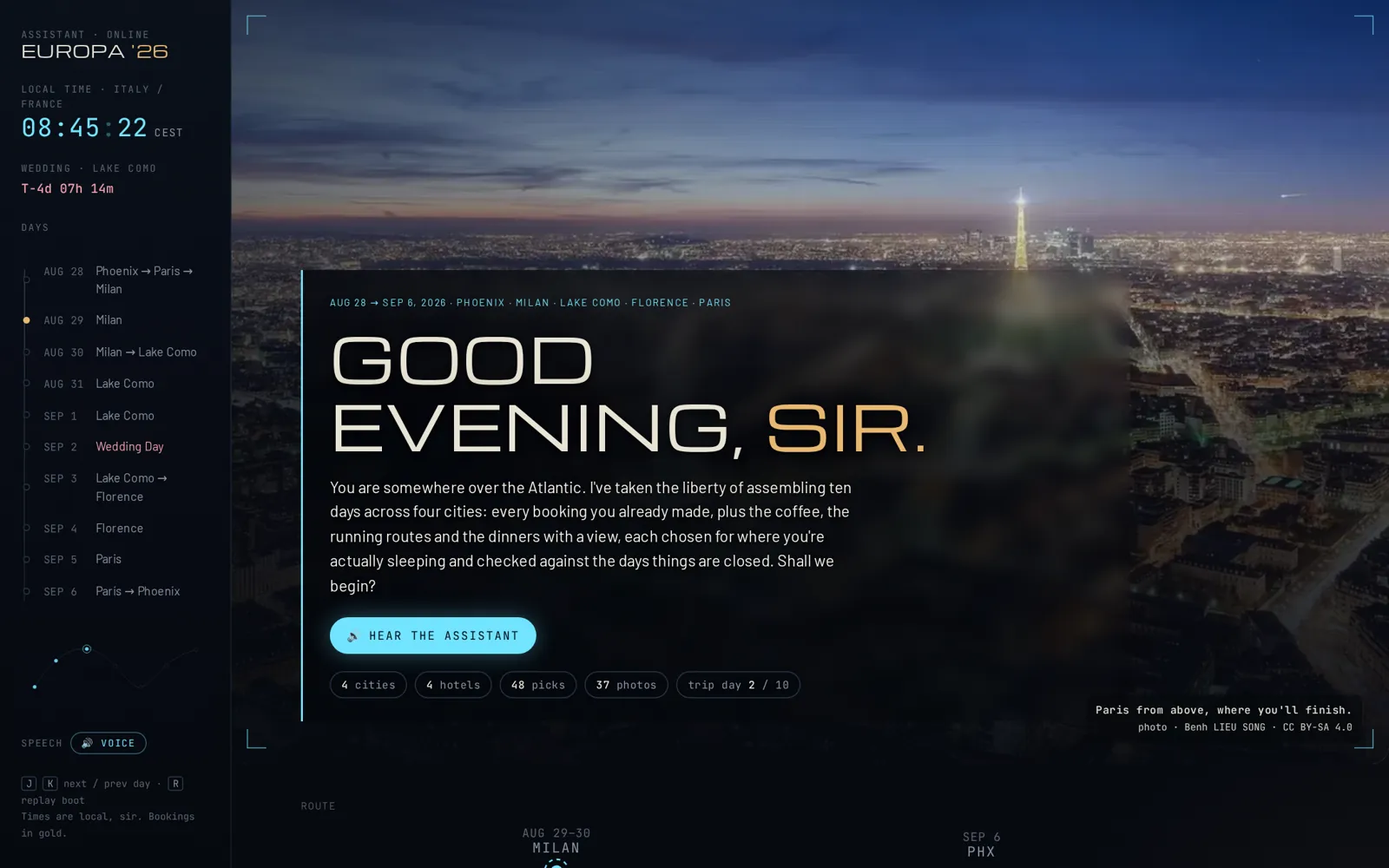
The one from the video. A dark travel page that says good evening, counts down to your wedding, knows what time it is where you are, picks coffee near your hotel, and tells you your hotel is on the wrong side of the lake. I built it on a plane. You paste your itinerary and it builds yours.
A free guide by Kaleb Webb. Every screenshot here is my real trip page, hotels and all. The skill is the exact method, including the seven things I got wrong the first time. Instagram ↗TikTok ↗YouTube ↗
Skills load on the paid Claude plans (Pro is $20 a month as of Aug 29, 2026). On the free plan you can still do this: paste the skill's text file as your first message instead of loading it. Slower, same result. Both links are in step 1.
No AI pictures, no video
Every photo on your page is a real photograph with the photographer's name under it, or your own. Nothing is generated. That's why it costs nothing and why it doesn't look like a slideshow from a bot.
It will check your plan
This is the part that matters. Before it writes a word about coffee, it looks up where each hotel actually is, what day of the week you land, and what's closed that day. Mine found a hotel across a lake from my train. Read the assistant card on every day.
// what this step gives youThe whole method in one file: how to read your itinerary, what to check, what to look up near your hotel, how to lay the page out, and what the assistant sounds like.
// whereDownload the file below. On claude.ai (or the desktop app): Settings, then Capabilities, then Skills, then upload it. That's it; Claude reads it when you paste a trip. Free plan: open the second link, copy the text, and paste it as your first message in a new chat. Then paste your itinerary as the second message.
// the thing this kills"I have to clean this up first." No. Notes app, an email from your travel agent, a screenshot you typed out, dates and hotel names in any order. It reads all of it.
// what to sayPaste the trip, then add one line about the thing the trip is built around (a wedding, a race, a meeting, a birthday) and one line about what you like. Those two lines become the countdown and the picks. If you skip them it will ask, once.
// the message, in the words I used
Here is my itinerary. Make me the Jarvis page. The whole trip is built around [the wedding on Sept 2]. I like [good coffee, a place to work on my laptop, scenic runs, and dinner with a view]. Keep every booking exactly as I wrote it.
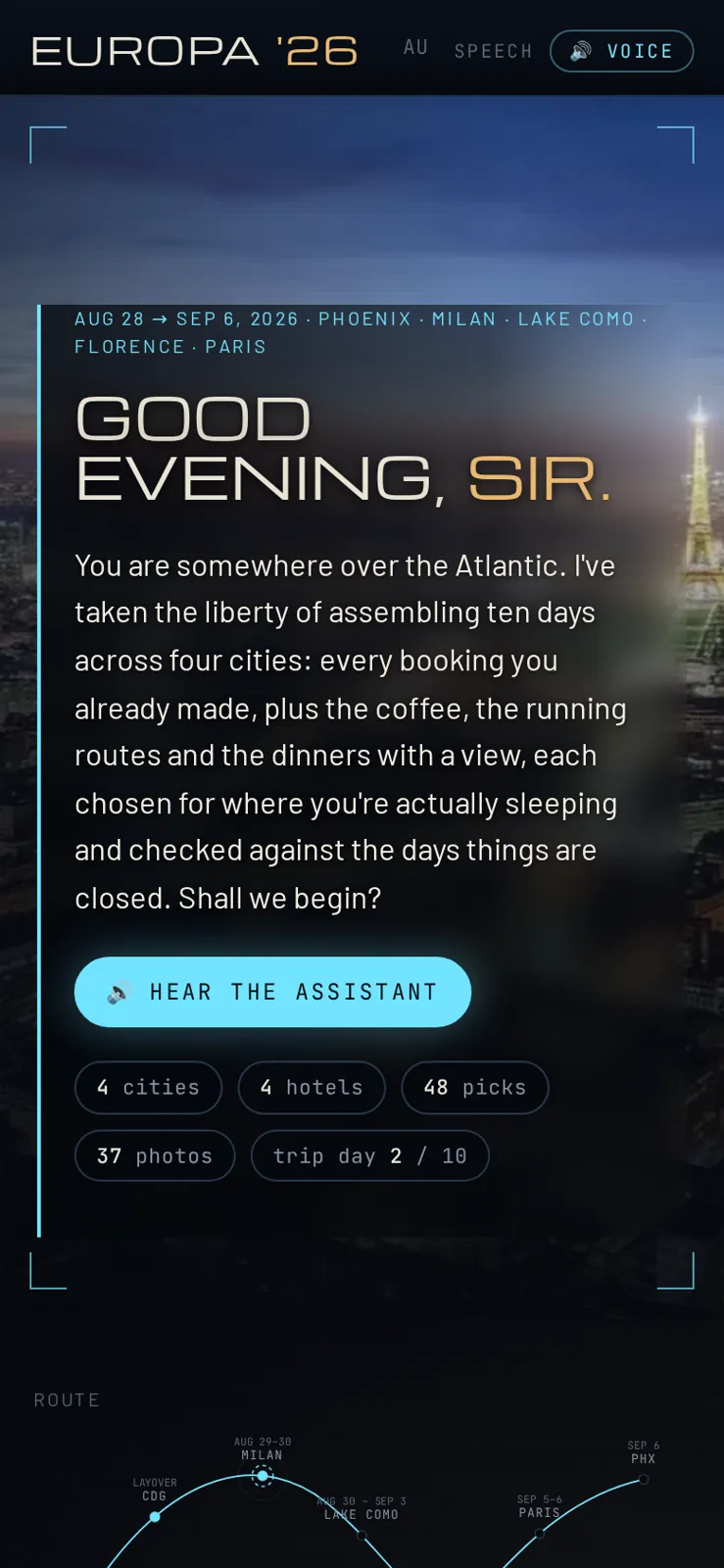
the top of my page. the clock is Italy time, the countdown is the wedding, the photo is real
It will ask up to three questions and no more. Answer them or say "just build it" and it picks the obvious answers and tells you what it assumed.
// you'll know it worked whenIt comes back with a day-by-day that has your bookings in it, word for word, in gold.
Read the assistant card before you read anything else.
// what this step gives youThe mistake in your plan you haven't found yet. Every day on the page has one card written by the assistant. That card is where it tells you what it checked and what it fixed.
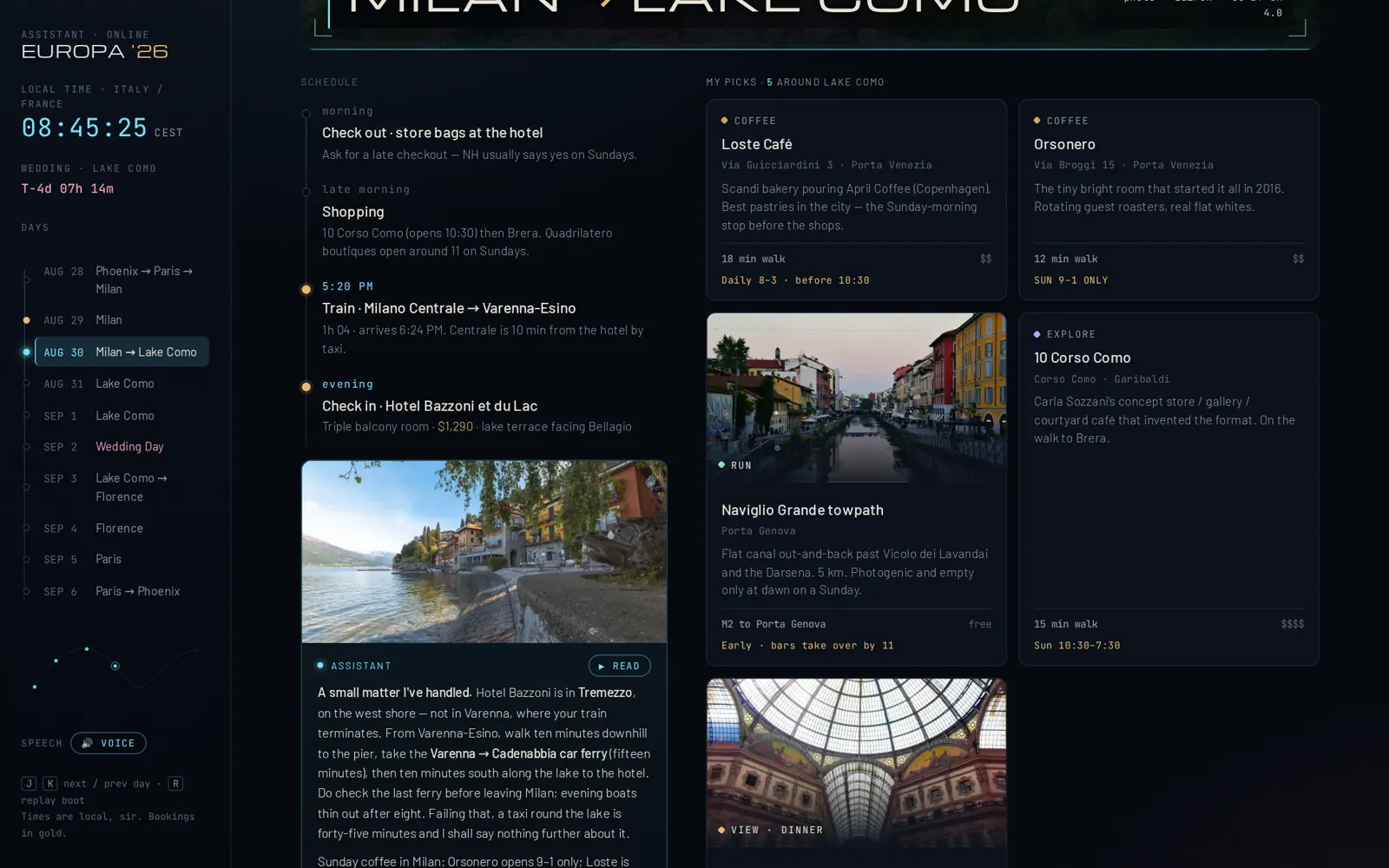
// what it checksWhere each hotel really is (mine was in Tremezzo, not Varenna, so it routed the ferry and gave me the last departure). Whether the train or boat you wrote down runs at that time on that weekday (my 6:45 ferry was really the 6:47 from a different pier). What's closed on the day you're there (Mondays and Sundays shut half of Italy). The time zone, sunrise for the run, sunset for the dinner, and the one thing you should book today.
// if you want it to look harder at one day
Check day [4] again. Confirm the [ferry / train / restaurant] exists at that time on that weekday, and tell me what you'd change.
the card that paid for the whole page. my train ended in Varenna. my hotel was across the water.
It writes like a very good butler: "A small matter I've handled." That's on purpose. It reads the same when it catches nothing, and you'll know it looked.
// you'll know it worked whenAt least one card on your page tells you something you didn't know about your own trip.
// the thing this killsA list of "top 10 things in Milan" you'll never get to. Every pick on the page comes with the walk time from that night's hotel and the day it's closed.
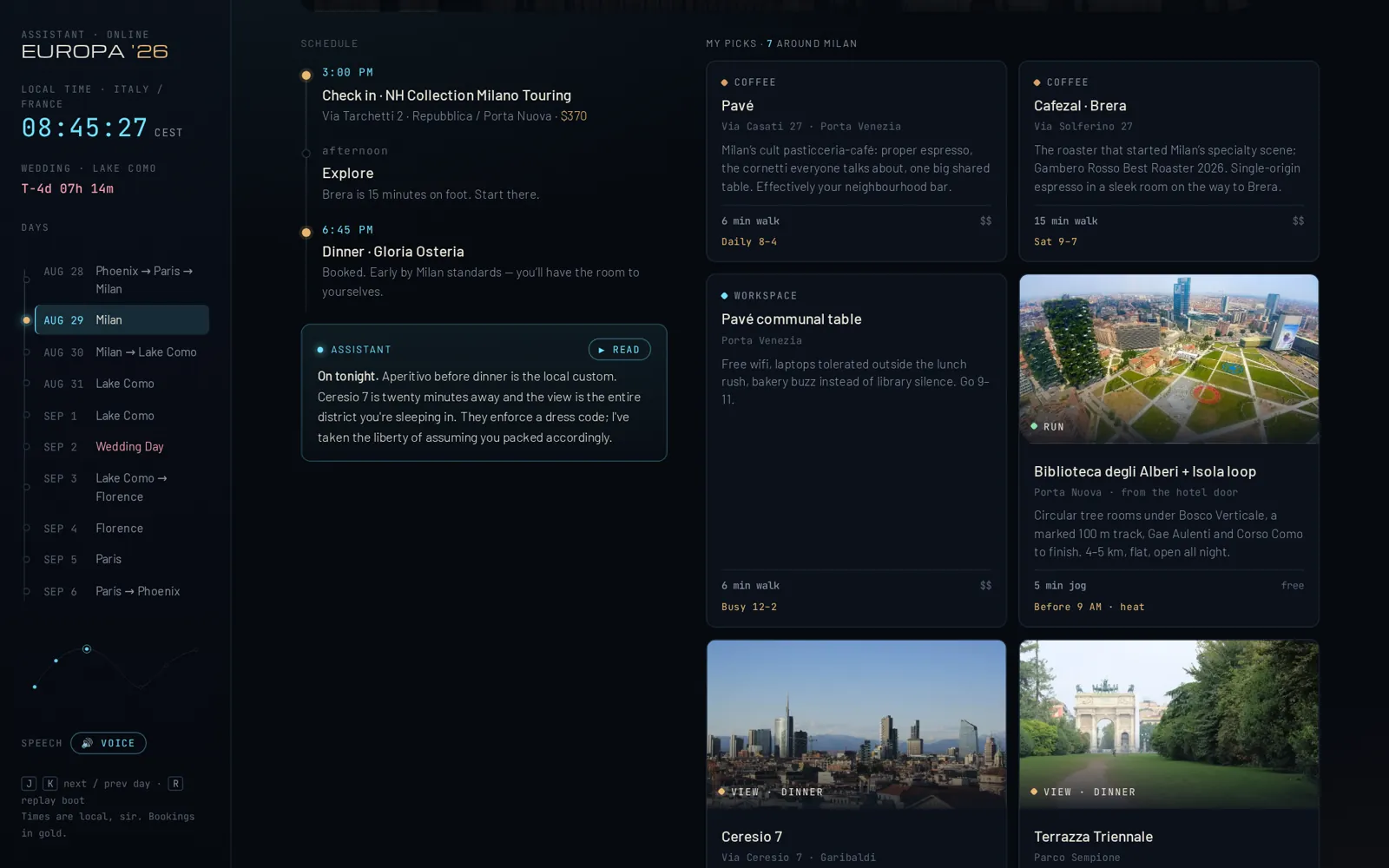
// what you getCoffee, a laptop-friendly spot, a scenic run with the distance, dinner or drinks with a view, and an explore or a lunch where the day has room. Each one has the neighbourhood, one specific reason, the price tier, and a warning in gold if it's shut on your day. Fewer on the big day: one coffee is enough on a wedding morning.
// to steer it (say it before or after)
Swap coffee for bakeries. No runs, add a playground each day. Dinners under [$40] a head. Nothing more than [15] minutes on foot from the hotel.
picks for the Sunday in Milan. gold text is a closure or a booking warning
The one rule I gave it that you should keep: never fill a slot with a guess. If it can't find a real place with a real address, the slot stays empty.
// you'll know it worked whenEvery card has a walk time and a price, and the ones you tap go to a place that exists.
// the thing this killsFake postcards. Nothing on the page is generated. Photos come from Wikimedia Commons (free to use, with the photographer credited on the page) or from your own camera roll.
// how it goesFirst it tries to fetch them itself. If it can (it depends on where you're running Claude), you're done. If it can't, it writes you a short shopping list: one link per photo, named after the slot it goes in. You open each link, save the picture into the folder with that name, and say "rebuild." Or skip all of that and drop your own photos into the folder with the same names. The build sizes everything correctly on its own, so your page never comes out blurry.
// if it built the page with no photos
Fill the photos. If you can't fetch them from here, give me the shopping list with one link per photo and the exact filename to save it as.
// if you'd rather use yours
I'll use my own photos. Tell me the filenames you need and which ones have to be big.
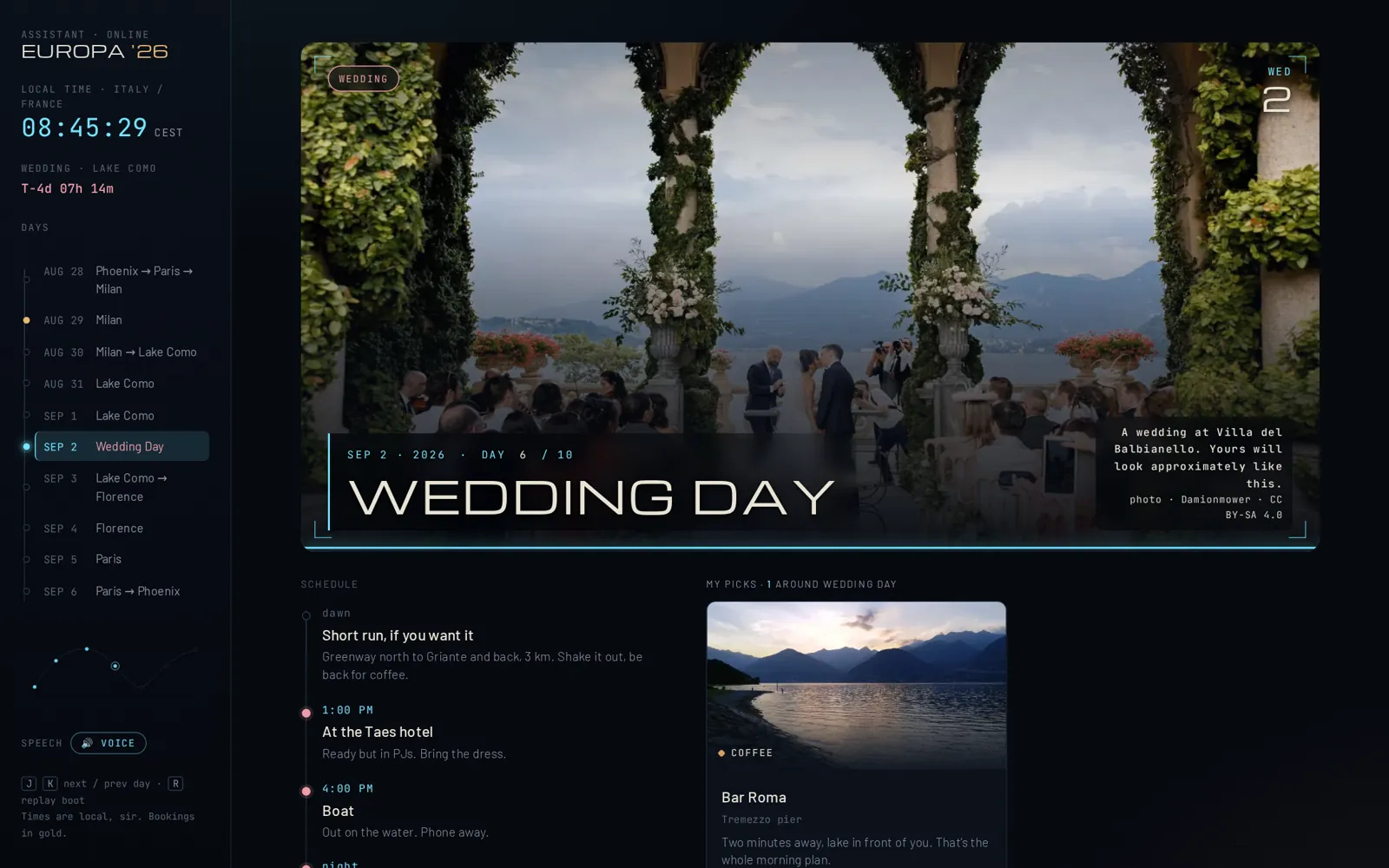
the wedding day on my page. a real ceremony at the real villa, credited in the corner
I lost an hour to blurry pictures before I understood: a big photo across the whole screen needs to be at least 2,000 pixels wide, and text on top of it needs its own dark panel. The skill does both for you now. That's the whole reason it exists.
// you'll know it worked whenScroll to the bottom. Every photo is listed with the photographer and a link to the source.
// what this step gives youThe greeting, read out loud in a British voice, using the voice your computer already has. No app, no account, no credits.
// whereThe cyan button under the greeting says HEAR THE ASSISTANT. Every assistant card has a READ button too. It needs one click because browsers won't let a page start talking on its own. On a Mac it picks a voice called Daniel if you have it (System Settings, Accessibility, Spoken Content, System Voice, then Manage Voices, English UK, Daniel, one download). On Windows it picks the closest British voice installed.
// if it sounds American and you want it not to
Which British voice is installed on this computer, and how do I add one?
the loading screen. drawn in code, not a picture, so it's never blurry
// you'll know it worked whenIt says "Good evening" in an accent and someone in the room looks up.
// what this step gives youOne file that works on your phone in a hotel with bad wifi, months from now. The page is a single file with everything inside it.
// what you getIn the Claude app it opens as a private page with its own link; only you can see it until you share it. Ask for the file too, and it opens by double-clicking, no internet needed except for the fonts. Send the link to whoever is on the trip with you.
// to get the file
Give me the page as a single HTML file I can open on my phone and email to my wife.
on a phone. same file, nothing else to install
Careful with this one. The page has your hotels, your dates, and the day nobody is home. Share the link with the people on the trip, not the internet.
// you'll know it worked whenYou open it on your phone on the plane, and it knows what time it is where you're landing.
I built the fancy version first. The plain one is the good one.
The first version had generated video flying past the Eiffel Tower. It looked incredible and it was useless, because you couldn't make it without paying for tools, and it took attention away from the plan. What's left is the part that actually did something on my trip: the checks, the picks, the real photos, the voice. That's what the skill makes. If your page comes out looking calmer than the video, that's correct.
// what changed
Date
Change
Aug 29, 2026
First version, written on the flight home from building the page. Skill v1. Prices checked the same day.
The 30-Day Challenge
// this is a build
The challenge is thirty of these, on your job.
The 30-Day Challenge is one real challenge a day, about 12 minutes each, for 30 days: an assistant that knows you, workflows for your job, systems for your life, your first agents. Seasons start a few times a year. The next start date and the current price are on the Challenge page.
$197 one-time · one Season · keep the lessons for good
Finish all 30, post your builds along the way, and if AI still isn't doing real work for you, email within 2 days of finishing for a full refund. Full terms in the FAQ.
// the letter
Not ready? Start free.
The Letter. Free, twice a month, written by me, zero hype. Plus a heads-up before each Season starts.